E-on Software Announces Availability of LumenRT 4.1 Studio

E-on Software released a new version of LumenRT 4.1 Studio adding extended capabilities for large MicroStation models and Revit export. The new version adds several important improvements including; New animated water materials – ocean, sea, lake, pond; Export of point lights from Revit and more. Read more ...

Southpaw Technology releases Tactic 4.0

Southpaw Technology has updated Tactic, its recently open-sourced asset and project-management system. Version 4.0 of the software focuses on ease of pipeline integration, improving database connectivity, adding a new plugin architecture, and adding HTML5 theming to enable studios to skin Tactic to match in-house tools. Find out more..

CG Artist Reference: Drawing From Reference Improves Skill and Productivity

Drawing from reference of some type is highly encouraged when in art school, and really by all established artists.  Reference can be photographic or live, and when used properly it becomes a tool that enhances productivity and the skill of an artist. Find out more..

MODO 701 Service pack is out

Not long after releasing MODO 701 comes first service pack. It fixes many bugs, so really necessary to download it. Find out more..

FurryBall3 – price for EDU version is reduced

Edu licence has no limits, EDU user just agrees with non-commercial use ONLY. Iit is valid one YEAR and include ALL free updares, upgrades and LOWER PRIORITY support. One student can purchase only ONE licence. Multilicence is available only for School institutions. Price is 99€. Find out more..

  • 0
  • 1
  • 2
  • 3
  • 4

3D Tutorials

Print

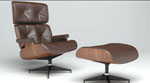
Modelling an egg chair using 3ds Max

Written by Administrator.

Created on Sunday, 19 May 2013 10:07

Modelling an egg chair using 3ds Max

Browsing the net I found out that many users are interested in modelling so called egg chairs which are representing the modern art and are a nice piece of furniture. Because we need quite a lot of materials and models inside our interior which will be the output of our interior section I decided to model this kind of item. Looking on other similar tutorials about this chair I decided to choose another approach and model the chair as “right” as possible. We will start with setting-up our scene and creating our starting primitive. Because the chair has a spherical shape we will start with creating a simple sphere which we will use as our starting object. The right primitive will be in our case an advantage in two steps. At first, the shape is already something which we would like to have and for second, we can use the outline edges of the sphere for creating the opening inside our chair. In our case the starting element will be a sphere and the modelling technique, poly-modelling technique. We will use the sphere and the modelling technique for creating both the stand for the chair which would be going directly from the sphere and also the opening in which we would create a soft pattern on the background. To fill in the free space which we created by creating the opening in the sphere we will create pillows.

Print

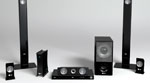
Modelling a home theatre system in 3ds Max

Written by Administrator.

Created on Saturday, 13 April 2013 09:44

Modelling a home theatre system in 3ds Max

In this tutorial we will continue modelling objects for our interior and model a home theatre system using reference pictures. These objects will be used later by creating and building our interior at the end of this section. The system is made from a subwoofer, main unit, DVD player and speakers. By modelling all these objects we will focus on the details and areas on these objects which would be visible by our renders. Taking thins into account we will not model everything and every small detail, but focus only on the parts which we need for our render. As by other tutorials where we are modelling an object according a reference we will start by placing our reference pictures inside 3ds Max environment. Because we was and we are modelling in real world scale we have to set-up our environment to corresponding units and replace the standard generic units with something we used before, in our case European metric units. After placing our reference pictures we will start the modelling process by studying, deciding and choosing the right method and starting element. In our case the starting element would be a box and the poly-modelling technique. Using the poly-modelling technique we will start to edit the geometry and transform the simple box into a model which replicates the one on the reference image. Keeping in mind our conditions we set at the beginning we will focus and create details only on the visible parts of the objects although some details would be made on other parts. Using the technique and method as before we will create all the objects from which the system is made.

Print

Creating the floating-castle using Photoshop

Written by Administrator.

Created on Wednesday, 06 March 2013 17:54

Creating the floating-castle using Photoshop

In the tutorials before I already showed that the options of Photoshop are almost unlimited and that these options are only bounded by your imagination. To proceed with this I decided to create a tutorial where we will create a floating castle by manipulating and merging multiple images together. Although we already were merging different images together this one is a bit different. The difference consist in the art how we will proceed. The first step is of course the idea of the final image and this step is also very important. The initial condition which we will set for the final image will also guide our workflow. Our idea is to create a floating castle in a mountain environment and for this we also need the corresponding images to do so. If we choose the images which we could use to create our final image, the Photoshop work will begin. At first we will cut off the castle from the background using some masking technique.

Print

Modelling MockingJay pin and GDI logo using 3ds Max

Written by Administrator.

Created on Monday, 11 February 2013 09:42

Modelling MockingJay pin and GDI logo using 3ds Max

Some time ago we received a direct mail with a question about modelling a Mocking Jay pin and GDI logo using 3ds Max and because we try to fulfil the needs of our users we decided to create an tutorial about modelling both items. Looking at the reference pictures we got, we realized that the GDI logo is not such a problem as the Mocking Jay pin. The reason for that was the fact that comparing both items together the GDI logo is flat but the Mocking Jay pin has some shape because it shows a bird which of course is displayed more or less naturally also on the pin. After some searching for more reference pictures we started the modelling process. The first step as by other tutorials is setup the scene together with the reference pictures according which we will model. Because we are always modelling in real-world scale one important thing by this is the „unit setup“ inside 3ds Max which in our case is set to centimetres.

Print

Creating a romantic card using Photoshop

Written by Administrator.

Created on Wednesday, 16 January 2013 15:46

Creating a romantic card using Photoshop

Slowly but for sure the 14th November is coming and with this day also the St. Valentine’s Day. To this occasion I decided to create a romantic card using Photoshop. The initial idea was taken from s stock photo I saw inside a photo library but was not for free, so i decided to create something similar with images you can find on the web. The initial idea was to create the card with a romantic topic, in my case two swans in the shape of a heart are the carriers of this idea. After finding all images we start to edit and merge different parts of the card together. As first we will cut off and mask the swans and place them on another surface. This process will also include some fixes, creating new shadows and also creating new adjustment layers to create the final look of the swans. After this part will be finished we will place some flowers on one side of the card to raise the romantic feeling of the card even more and blend everything together.